
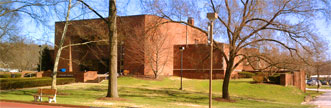
Welcome to the 
Drain-Jordan Library

Over thirty Windows 2000 computers are available for use in the library lobby. Two additional systems have been configured with lift tables for wheelchair access and software for the visually impaired. Four systems have scanners (L6, L20, L32, L36). Most of the computers have CD burning software; all have 100 Mb ZIP drives. Active USB ports are on the front for the Dells and on the back for the Tangents.

Students should sign in at the Reference Desk for a specific system. Sign in guarantees a half hour.
Please do not install software on the systems, it can overwrite essential files used by other programs. Campus Computer Use & Abuse Policy

Reference books on the programs (easy to complex) are located in the lobby below the RED Library of Congress Subject Heading books.
Software currently installed on Lobby Computers
    Word Office Suite includes:
  • Word
  • Excel
  • PowerPoint
  • Access
over 30 systems in the lobby, identified with blue star (version written on star) Most of the systems have Office XP; Office 2000 is on L13 and L14. A large green dot on the star indicates converter files have been added Office 2007 files can be openned and read
    WordPerfect Suite includes:
  • WordPerfect
  • Quattro Pro
  • Presentations
  • Paradox
over 27 systems in the lobby, identified with a red star (version written on star)
Works Suite
on two systems, identified with the yellow star, L7 and L21. version 6.0
Paint Shop Pro
on two systems, L16 and L19. version 7
    Macromedia MX includes:
  • Dreamweaver MX
  • Fireworks MX
  • Flash MX
  • FreeHand MX
on two systems L24 and L27
    Adobe Web Collection includes:
  • Photoshop
  • Illustrator
  • GoLive
  • LiveMotion
on two systems L5 and L35
Adobe Photoshop Elements
(bundled with four scanners)
on four systems, L6, L20, L32 and L36
Adobe Acrobat
reader on all systems
writer on L5 and L35
SPSS11.0 for Windows
NOT WORKING (timing out before connection)
MathXL
on computers 21, 22, 23, 24, 33, 34, 35, 36. Only works with Internet Explorer browser.
Complete Reading System
Scan & View
on one ADA system in library lobby (the Dell)
Window Eyes on the other ADA system in the library lobby (the Tangent)

Remember to backup your papers and presentations often; if the system reboots it is gone. PowerPoint projects with lots of photographs usually will not fit on a floppy disk.

If all else fails email your project to yourself; it is a good backup.

Book Catalog (Virtua Gateway) Search Engines
Periodical Holdings List WV Library Catalogs
WVSU Home Page Visitor's Guide
General Information About WVSU

Back to Library Main Page

______________________________________________________________

This page is maintained by Deborah Wells